View event details
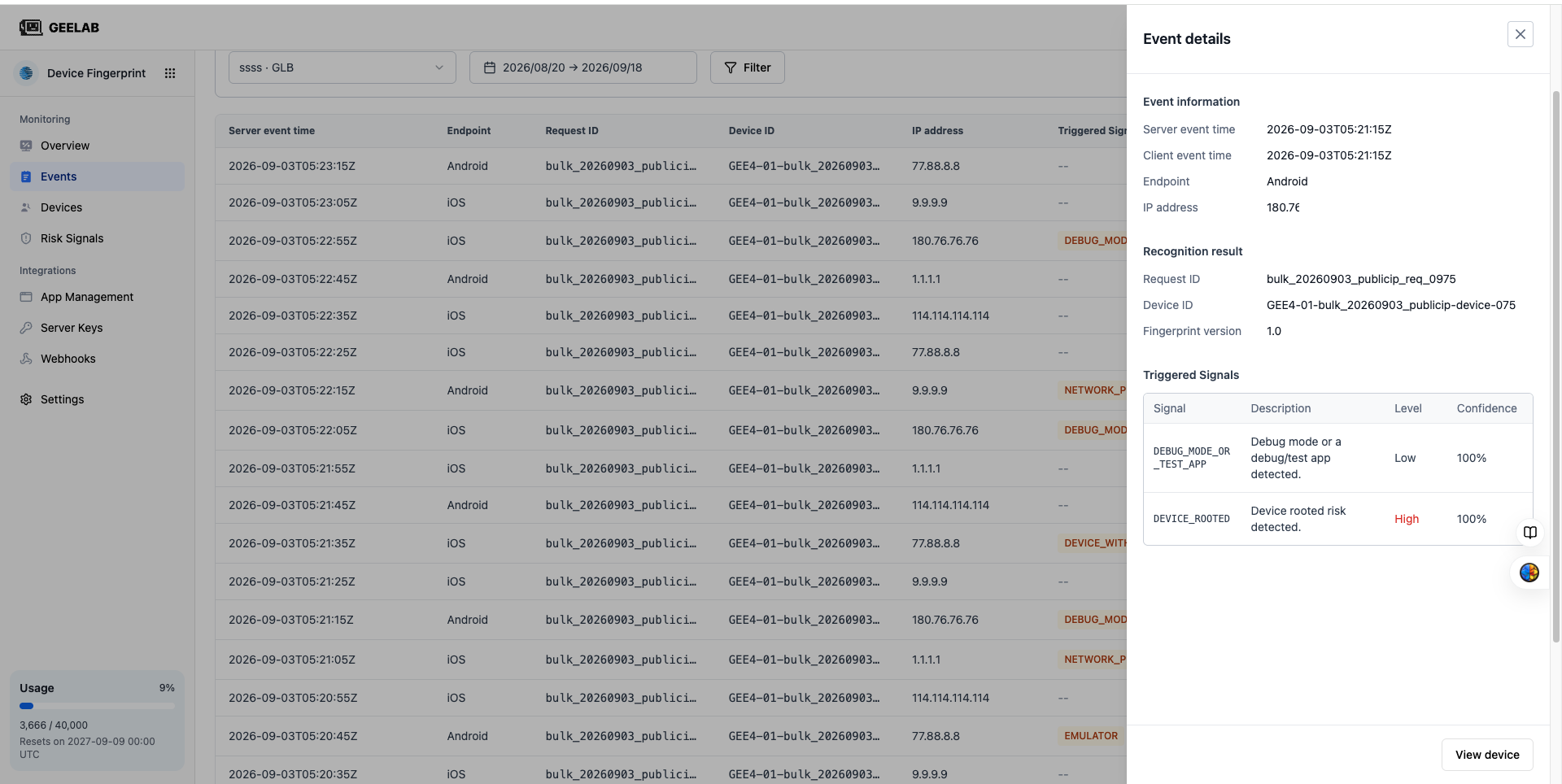
Click any row in the event list or Details to open the event details.
The event details are used to answer: where did the request come from, what was identified, and whether there is a risk.
Basic request information
You can see:
- Request ID.
- Event time.
- Belonging application and Region.
- Access or client platform.
- Request processing status.
The Request ID is the most important correlation identifier when troubleshooting. Store it with your backend logs, business order, or Webhook Delivery ID.
Device and Devices Information
Details may include:
- Device ID.
- Device type.
- Operating system and version.
- Browser and version. -Mobile device model.
- Device history portal.
Different platforms return different information. Native SDK scenes typically do not have browser properties; when no value is available, the page may display "Unknown" or "—".
Device ID represents the device identification result and does not represent the identity of a natural person. Do not identify or permanently ban a user based on their Device ID alone.
Network and location
Details may include:
- IPv4 or IPv6 address.
- The country, region or city the IP resolves to.
- Internet service provider or autonomous system information.
- VPN, proxy or other network risks.
IP geolocation is a reference and may not be accurate due to mobile network, proxy or database errors. Please handle and share IP addresses in accordance with your corporate privacy policy.
Risk Signal
The Risk Signals section lists the signals triggered by this event; one event can trigger multiple signals. Use this section to review the event context. For signal codes, severity, platform support, and recommended actions, see Risk Signals.
JSON or raw data
If the details provide a JSON view, you can see the complete structure of the event for:
- Return results against the Server API.
- Find fields not directly displayed on the page.
- Compare with development environment logs.
- Provide technical support with troubleshooting information after redacting sensitive values.
Raw data may contain device identification, IP address, or other sensitive fields. Please do not post the complete JSON directly to public tickets, chat groups, or code repositories.
View device history
From event details, open device history to view other events with the same Device ID in the current query range. For aggregation scope, environment changes, and common investigation workflows, see Device Analysis.