Region isolation rules
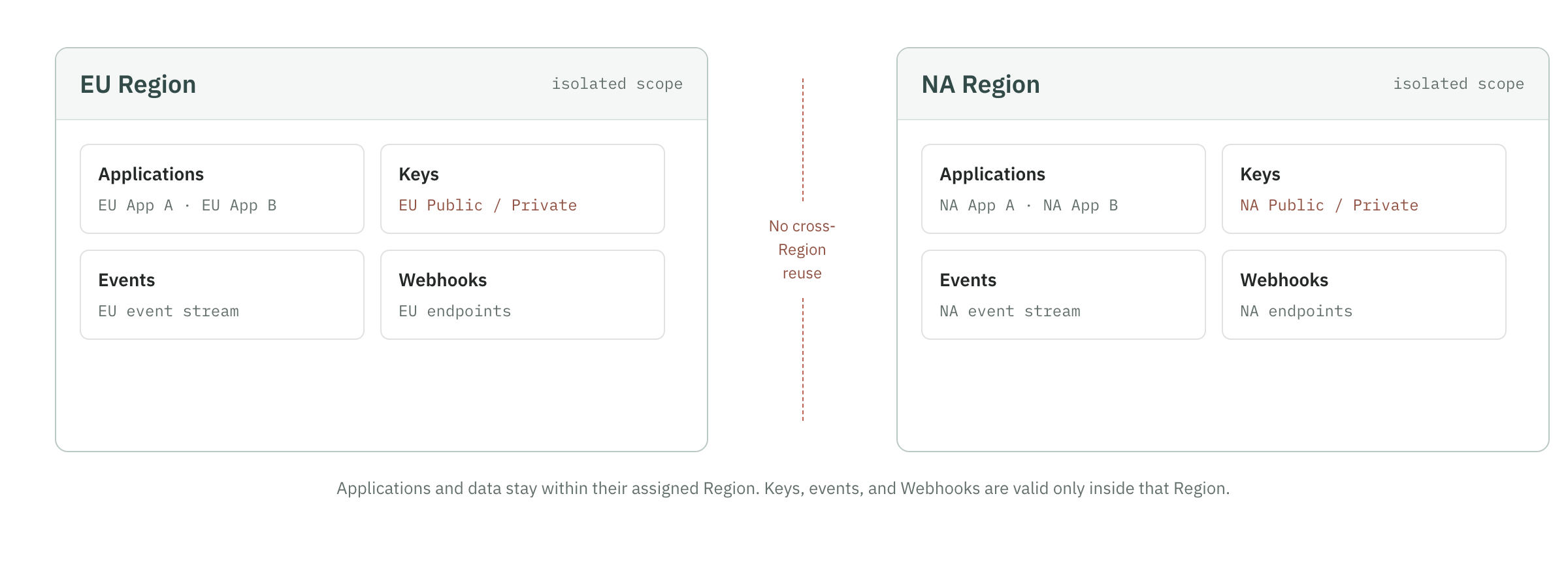
Overview of isolation relationships
mermaid
flowchart TD
    ORG[Organization]
    EU[EU Region]
    NA[NA Region]
    APP1[Application A]
    APP2[Application B]
    APP3[Application C]
    KEY1[EU server key]
    KEY2[NA server key]
    EVENT1[EU events and devices]
    EVENT2[NA events and devices]
    WH1[EU Webhook]
    WH2[NA Webhook]

    ORG --> EU
    ORG --> NA
    EU --> APP1
    EU --> APP2
    NA --> APP3
    EU --> KEY1
    NA --> KEY2
    APP1 --> EVENT1
    APP2 --> EVENT1
    APP3 --> EVENT2
    EU --> WH1
    NA --> WH2
Application and integrations
An application can only belong to one Region. All integrations under the application automatically inherit this Region.
For example, for an app created in the EU, its web, iOS, and Android integrations all belong to the EU. The Public API Key generated by the integration should also be used only for the current application and platform.
Do not mix Public API Keys in the following scenarios:
- Use EU application's Key for NA application.
- Use the web access key for iOS or Android.
- Use a key from one app to another app.
Event
Each event belongs to a clear organization, region, application and integrations.
When querying on the event page:
- After selecting an application, only the events in the corresponding Region of the application will be displayed.
- After switching apps, the page reloads the data of the new app.
- The Request ID of other Regions is known and cannot be viewed directly without bypassing permissions.
- The devices, networks, and risk signals in the event details all belong to the Region where the event is located.
Application and Region are the basic scope of event query and are not ordinary deletable filter conditions.
Device
The device is an aggregated device view based on device_id. The device list and details follow the data scope of the current application and Region.
By default:
- Events from different applications are not automatically merged into the same devices page.
- Events from different Regions will not be automatically merged.
- A device's first appearance, most recent visits, number of events, and risk signals are calculated based only on currently queryable data.
- Historical events outside the data retention period will no longer appear in device details.
Do not use the Device ID in one Region to directly infer the identity of the device in another Region.
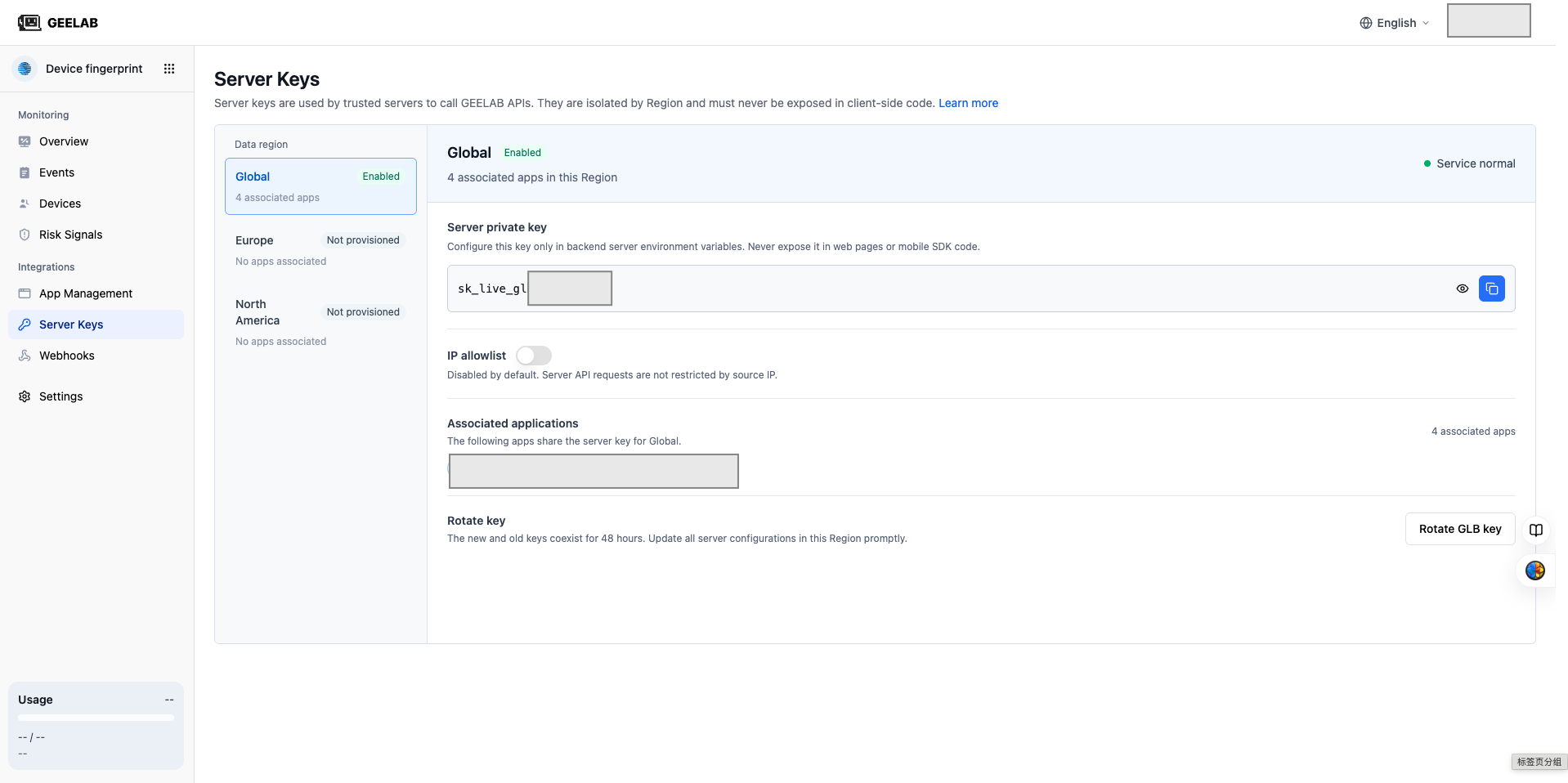
Server key
Server keys are managed by Region. Applications in the same Region can use the server key of the Region to call the Server API.
If your organization uses both EU and NA, you should configure each separately:
EU business service → EU server key → EU application data
NA business service → NA server key → NA application data
Server-side keys cannot be used across Regions, nor can they be placed in web pages, iOS or Android clients.
When rotating the server key of a Region, all server configurations using the key under the Region need to be updated. Other Regions will not be affected.
Webhook
A Webhook can only be bound to applications in the same Region.
When creating a webhook:
- Select Region first.
- The console only displays applications that can be bound in this Region.
- You can select all applications under the Region, or only select some applications.
- EU and NA applications cannot be selected in the same webhook at the same time.
If you need to receive events from multiple Regions, please create Webhooks separately:
EU Webhook → Receive EU application events
NA Webhook → Receive NA application events
Two Webhooks can point to receiving services in different regions. Whether to import events from multiple Regions into the same downstream system should be confirmed by your compliance team.