integration management
The role of the integrations
An integration represents a specific client entry point in the application. An application can create Web, iOS, and Android integrations; each integration has its own:
- Public API Key.
- Web source or mobile application signature verification rules.
- Request rate-limit configuration.
- Enable, disable and delete status.
For example, a mall application can create three integrations: "checkout page Web", "mall client iOS" and "mall client Android".
Limit on the number of integrations
The current plan typically allows up to 10 integrations per application. Once the limit is reached, integration creation is blocked.
When planning the integrations:
- Use platforms and integration points to distinguish integrations.
- When independent source verification or rate limiting is required, use an independent integration.
- Do not mix the same integrations in order to differentiate between testing and production; it is recommended to plan applications or integrations according to the environment.
- Before deleting the integrations, confirm that the client has stopped using the corresponding Public API Key.
Public API Key life cycle
After creating the integrations, Geelab will generate an independent Public API Key. It is used for client SDK initialization and identification request authentication.
Usage rules for Public API Key:
- One key corresponds to one integration only.
- Web, iOS, and Android should use the Key of their respective platform integrations.
- Public API Key can appear in client code, but source or signature verification should still be configured.
- Do not use the Public API Key to call the Server API.
- Do not put the Region server key into the client. In the current design, the client-side Public API Key is static and cannot be rotated like the server-side key. If a leak is suspected, immediately deactivate the integration or contact Geelab to evaluate regeneration options.
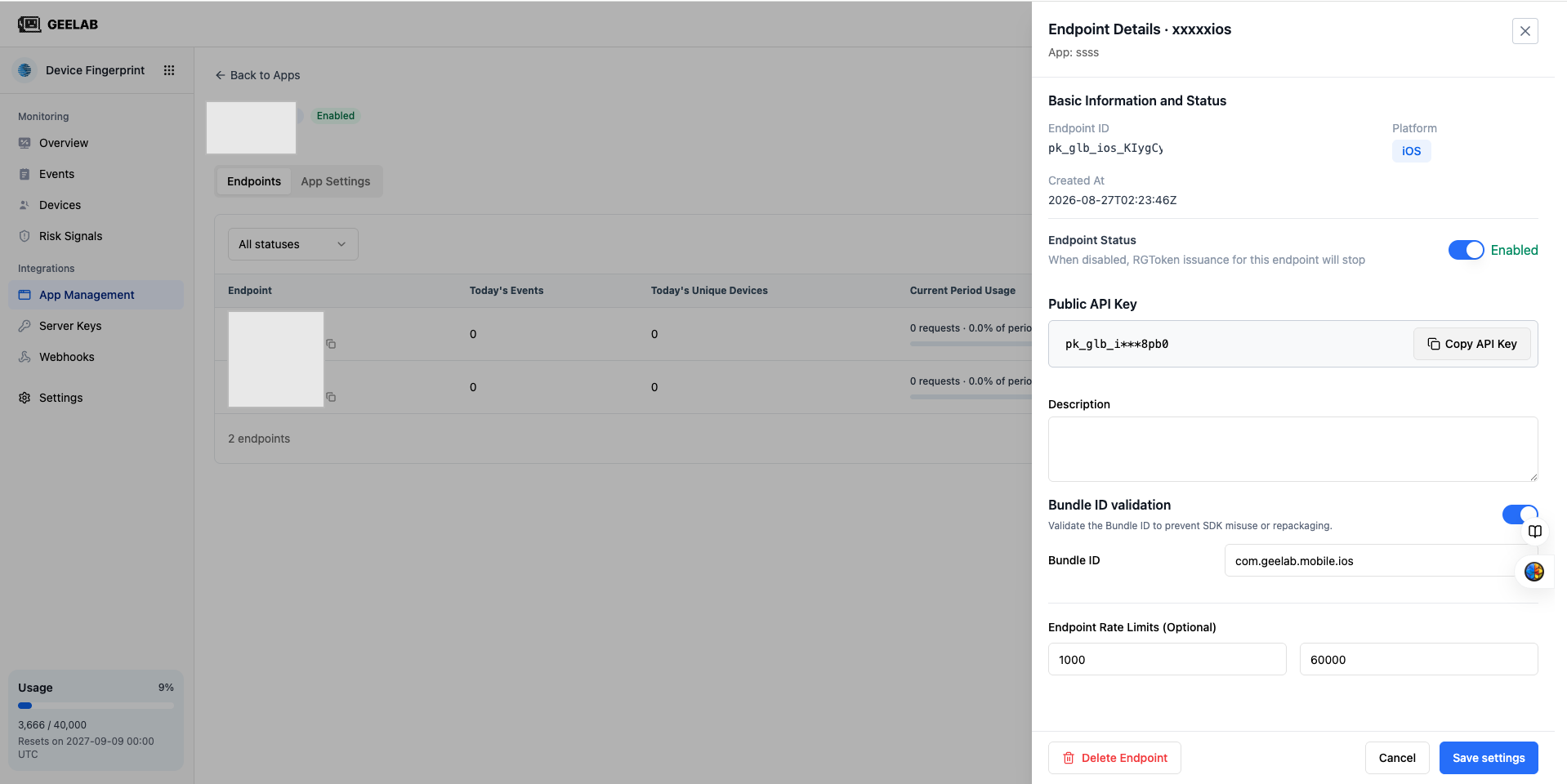
Integration status
| Status | Impact |
|---|---|
| Enable | Public API Key works normally and identification requests can continue to be processed |
| Deactivate | The key for this integration stops serving immediately and requests are rejected; other integrations under the same application are not affected |
| Deleted | the integration is removed from the list, the Key is invalid and cannot be used anymore |
Deactivation is suitable for temporarily suspending a platform or troubleshooting abnormal traffic. Before deleting, confirm that the integration's key is no longer referenced by the client, server, monitoring, or documentation.