Application Management Overview
The role of application
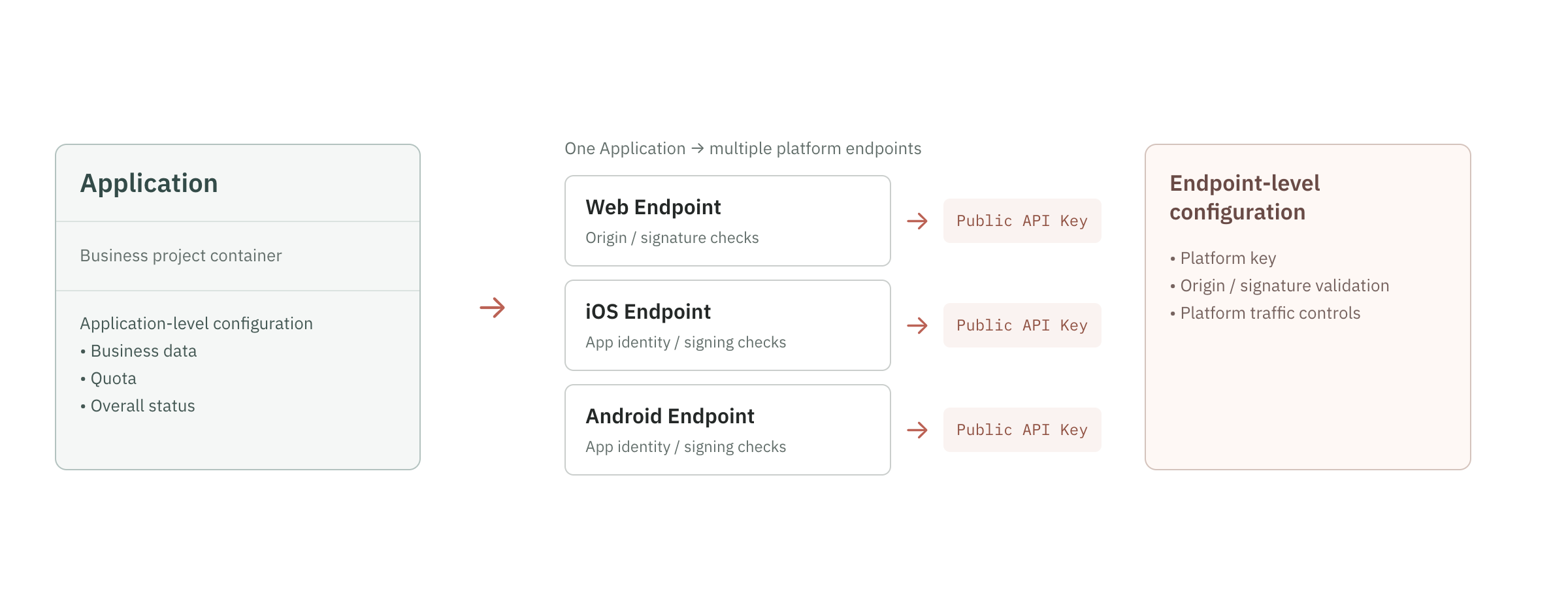
An application corresponds to an independent business project, such as the main mall website, payment products, member center or marketing activity platform.
Application for:
- Manage multiple integrations under one business project.
- Collect identified events, devices and risk signals for the business.
- Manage the Region to which the application belongs.
- View application-level call volume and quota consumption.
- Set application enabled or disabled status.
- Serves as a boundary for application-level permissions and data management.
If two businesses require independent statistics, independent quotas, or strict isolation of data, it is recommended to create separate applications.
Maximum number of applications
The current plan typically allows up to 10 applications per organization. Once the limit is reached, the application creation action is blocked.
Please confirm before creating:
- Whether existing applications can be reused.
- Whether independent quotas and statistics are really needed.
- Whether different platforms should be distinguished by integrations instead of creating new applications.
- Whether deleted apps are still counted in the upper limit will be subject to the console display.
If you need more applications, please contact your organization's master account or Geelab customer support to confirm your package and upgrade options.
Quotas and Usage
Applications are an important management boundary for business usage and quotas. The console may display:
- Identification events today.
- Current cycle usage.
- Apply allocation quota.
- Used credit and remaining credit.
- Platform distribution of each integration.
This page covers only the configuration boundaries of applications and integrations. For plan quotas, billable events, and retention, see Quotas, Rate Limits, and Data Retention. For dashboard metric definitions, see Data Overview.
App usage is related to the organization's subscription status. When an organization is in arrears, has expired plans, or has exhausted its total quota, organization-level status may prioritize app requests even though the app itself still appears to be enabled.
Application status
Applications typically have the following states:
| Status | Meaning | Impact |
|---|---|---|
| Enable | The application provides services normally | The associated integrations can be used normally, and identification requests are processed according to the configured rules |
| Deactivate | Suspend business use | The Public API Keys for the associated integrations stop serving, identification requests are rejected, and normal billing events usually do not occur |
| Deleted | The application has been removed from the user's visible list | The relevant integration is invalid and the application is no longer used for new identification requests; whether the system retains audit records is subject to service rules |
Deactivation is suitable for temporarily suspending business or troubleshooting abnormal traffic; deletion is suitable for confirming that applications are no longer used. Before deleting, please confirm that there are no integrations, server configurations or Webhooks in use.