Check the plan quota and usage
What is the organizational quota?
Your organization's plan includes a certain credit for identification events. The quota is used uniformly by the organization, and the billing events generated by the applications and integrations within the organization will be included in the usage of the same organization.
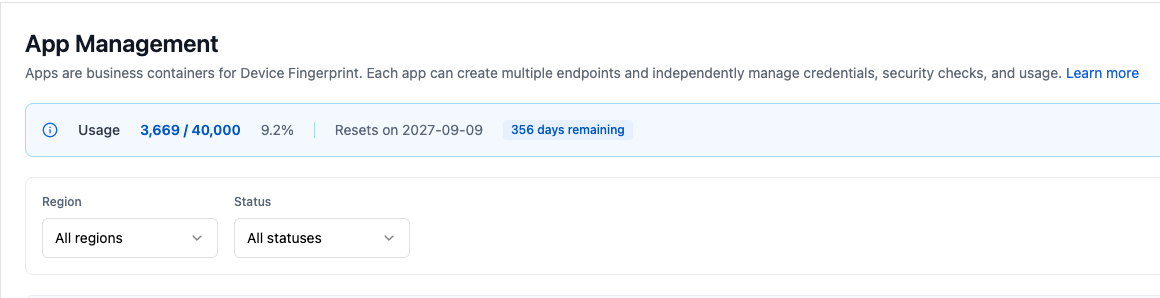
You can view the current cycle's data on the console's data overview or organization usage page:
- The package includes quota.
- Quantity used.
- Remaining balance.
- Current billing cycle and reset time (if the plan supports cycle reset).
The specific quota and billing cycle are subject to your contract, order or console display.
Which events are counted towards usage?
The definition of billing events depends on your plan and service agreement. Generally, events that are successfully identified and received by Geelab are counted as usage; requests that are only generated on the client but are not successfully delivered to the server are not counted as successful identification events.
If you need to confirm whether a certain type of request is billed, please provide the application, Region and Request ID to contact support. Do not just calculate the billing usage based on the number of events on the page.
What happens when the quota is insufficient?
When the organization's remaining quota is insufficient, new identification requests may be restricted, and the quota status will be displayed on the console usage page. Saved event and device data will not be automatically deleted as the quota approaches the upper limit.
It is recommended that when approaching the quota limit:
- Check whether there is a test environment or abnormal traffic that continues to generate requests.
- Confirm that the application and integrations configurations are not initialized repeatedly.
- Contact your account manager or support team to confirm the expansion, upgrade or temporary quota plan.